Recover Your Data Right Now!
Need to recover documents for your business? Unable to finalize a DVD? Your camcorder is gone and all family memories on mini discs seem to be lost? Can't read an old disc after Windows 10 upgrade? A perfect CD suddenly appears as unreadable or blank? Looking to recover lost or missing files from Hard Drive, USB, Flash Drive, memory card? Fortunately, many such problems can be bypassed with the help of CDRoller!
News:
Feature List:
- Effectively retrieves the lost data from the discs created by CD/DVD/Blu-ray writing software, such as well-known Sonic (Roxio, Adaptec) and Ahead Nero software packages, CeQuadrat's PacketCD, DLA, B's CLiP and many others.
- Reads unfinalized ("open", "left as-is") CDs and DVDs, including the discs with Microsoft's Live File system created under Windows 7, 8, 8.1, 10 or Vista.
- Includes a fault-tolerant UDF reader for all Windows operating systems. No need to look for UDF Reader Driver in order to manage old discs on your new computer under Windows 7, 8, 8.1, 10 or Vista.
- Recovers video and photos from non-finalized DVDs created by a wide set of standalone devices that record directly onto discs: Hitachi, Sony Handycam, Canon, Panasonic, Samsung DVD camcorders as well as standalone video recorders.
- Converts the recovered VOB or VRO video data into generic MPG files without loss of quality. In contrast to VOB files, MPG ones can be viewed properly with the help of Windows Media Player.
- Makes new DVD-video discs that can be played back in the most DVD players.
- Recovers M2TS video files on the mini discs that were not finalized by AVCHD camcorders.
- Finds and retrieves accidently deleted files, files located in the corrupted folders, files on incorrectly closed disks, etc.
- Recovers CD data written by Sony Mavica CD digital cameras.
- Examines images (pictures, photos) of all major graphic formats (BMP, JPEG, JPEG 2000, GIF, PNG, PCX, PSD, EPS, TIFF, WMF, ICO, TGA), popular digital camera raw formats (Canon, Kodak, Minolta, Nikon, Olympus, Pentax, Fuji, Leica, Sony, Sigma), DICOM files (medical imaging) and many others.
- Finds and retrieves the files data on Hard Disk Drives (HDD), Solid-State Drives (SSD), flash memory cards, floppy disks and other types of Windows disks/drives. Gains direct access to the disk data, using a special driver, and does not require administrator privileges after installation. That means you never get User Account Control (UAC) popup when you run the program under Windows 7, 8, 8.1, 10 or Vista.
- Recovers lost audio files on the flash memory built into voice recorders, such as Sony, Olympus, Ritmix, etc.
- "On-the-fly" unpacks the files initially compressed by Roxio (Adaptec) DirectCD.
- Retrieves back up files from the discs recorded in several stages (multisession discs).
- Includes a built-in CD/DVD/BD data burner. There is no need to run third-party CD/DVD/BD mastering software if you wish to burn a new DVD-video disc or backup your files and folders immediately after recovery. The "Burn" option is integrated into a common shell. Just write a new disc with recovered data shortly, without leaving CDRoller!
- Erases CD, DVD and BD re-writable media. Supports quick and full erase methods.
- Examines disc sectors at low level. Displays the sector content in text, binary, hexadecimal or unicode mode. It also scans all sectors of a disc (selected track or file) for particular data. Recommended for engineering purposes and also for law enforcement and forensic investigators.
- Supports external hex editor for detailed analysis of disc contents at low level.
- Allows direct examination of the content of selected file at low level.
- Scans files for particular data (content), regardless of the file names and/or extensions. Supports Perl-like regular expressions (PCRE library) for creating match patterns.
- Reads ISO image files (*.iso), disk image files recorded in Expert Witness Compression Format (*.E01, *.L01, *.S01), Linux / Unix Disk Dump (*.dd) files and Microsoft Virtual Disk Images in VHD and VHDX formats (*.vhd, *.vhdx files).
- Creates disk image files (byte-to-byte copy) of entire drive, logical disk or selected partition.
- Identifies the lost files on ISO/Joliet discs with the damaged file system (volume descriptors, path tables and directories), using the raw data only.
- Rescues the data from scratched, damaged or defective discs.
- Provides direct access to the hardware (CD/DVD/Blu-ray drives), bypassing the Windows File System. Looks for the lost tracks (sessions) every time when you insert a new disc into the drive. Supports SCSI Pass Through Direct (SPTD) layer as alternative method under Windows 2000/XP/2003/Vista/7/8/8.1
- Creates and uses an own image file to manage disc sectors.
- Digitally extracts audio tracks into a wide set of wave formats.
- Tests disc readability.
- Extracts ISO Image file. Burns ISO Image file to a new disc.
- Catalogs files and folders into CD/DVD library.
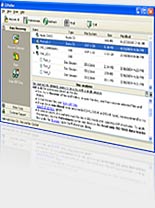
- All features are integrated into a common and easy-to-use intuitive shell.
Support of wide set of CD, DVD, BD and HD-DVD formats such as:
- CD formats (CD-DA, CD-ROM, CD-WO, CD-ROM XA and Mixed-Mode)
- CD format CD-MRW ("Mt. Rainier" CD-RW),
- DVD formats (DVD-ROM, DVD-R, DVD-RW, DVD+R, DVD+R DL, DVD+RW, DVD-R DL, DVD-RAM).
- Blu-ray disc (BD) formats (BD-ROM, BD-R, BD-RE, BD-R DL, BD-RE DL, BD-R TL, BD-RE TL, BD-R QL, BD-RE QL, Ultra HD Blu-ray).
- High Definition DVD (HD-DVD) formats (HD-ROM, HD DVD-R, HD DVD-RAM).
Supported File Systems:
- ISO 9660 file system, including so-called Joliet and Rock Ridge extensions for long file names (Windows and Unix files names).
- Universal Disk Format (UDF), including versions 1.02, 1.50, 2.0, 2.01, 2.50, 2.60 and so-called UDF Bridge format.
- FAT32 (for DVD-RAM and BD-RE discs).
- NTFS / FAT12 / FAT16 / FAT32 / exFAT / Ext2 / Ext3 / UDF (for hard and flash drives, memory cards and floppy disks).
System Requirements
To run CDRoller, you need at least:
- Microsoft Windows 2000/XP/2003/Vista/7/8/8.1/10 operating system,
- Intel Pentium or compatible CPU,
- 256 MB of RAM,
- 12 MB free hard disk space for program installation and some additional space for CD/DVD images,
- CD/DVD/Blu-ray drive(s).
Signup to our Mailing List
Technical Support
Our technical support representatives are always at your service. With our true 24x7 technical assistance, there are no banker's hours, no auto-responder support replies, and no closed for the holiday's door sign. Our customers will always receive friendly and patient technical support. Please feel free to submit the details of your problem on our web site.

Data Recovery Service
At our tech lab, we'll be glad to assist you with recovering precious data that seem to be inaccessible for your computer hardware. Including the discs your computer CD/DVD drive cannot mount, e.g. the damaged (corrupted) mini DVDs, quick-erased (blanked) CDs and DVDs, etc. For inquiry, please contact our Support Dept.
What's new in the version 11?

- Added support of high capacity blu-ray discs : BD-R DL and BD-RE DL (Dual Layer, 50 GB), BD-R TL and BD-RE TL (Triple Layer, 100 GB), BD-R QL and BD-RE QL (Quadruple Layer, 128 GB), Ultra HD Blu-ray (UHD) discs as well.
- The following list of features upgraded to accomodate to the new high capacity optical discs (mentioned above): Recover All / Recover Selected, Drag-and-Drop and File Execution, Save / Resume Recovery, Scan UDF Disc, Examine Sectors / Examine File, Search of disc content, Extract To ISO Image File, View Image, File Properties.
- UDF forced scan updated. Added support of discs created by Windows 10 internal burner. Advanced users and data recovery experts can find useful an opportunity to change (simulate) UDF partition parameters after Unknown CD option has been selected in the forced scan list. For example, if you do not know an exact name of CD/DVD mastering program that created your bad disc, but you have the good one created by the same software, you can apply Test Disc option to the good disc and get the partition parameters first. Then, you run the forced scan on the bad disc (with the Unknown CD option), type the values under UDF Scan parameters dialog and find the lost files, simulating the good disc partition.
- Main program window with empty CD/DVD drives now appears before analysis of inserted disc, with further messages in the status bar. This looks like a proof of normal work of the program if you've inserted a disc before CDRoller and analysis of bad disc requires an additional time.
- Extended Data Recovery updated. Examine Sectors option is now available in the pop-up (context menu) under the Start Window, for the entire disk, logical drive, or selected partition. This allows to search for particular data (content) immediately, without analysis of file system.
- Installation procedure slightly changed. After installation, the version number will not be displayed in the Start Menu folder name. For example, you will see a simple CDRoller name instead of CDRoller 11.0. This looks like an useful for future upgrades. Also, the setup program now allows to change CDRoller's location if it's required for saving the older version.
- Numerous improvements, bugfixes and workarounds added.
Have any opinion about CDRoller? We would like to hear from you. Please take a moment to share your feelings, ideas and bug-reports. If you think we have missed something, please do not hesitate to suggest your great feature, and you will see it in the future releases! We always appreciate your contribution! Please feel free to contact us if you have any problems or questions regarding CDRoller, including pre-sales support.
How to upgrade my previous version to CDRoller 11 with 30% discount?
To upgrade your previous version (CDRoller 5, 6, 7, 8, 9 or 10) to CDRoller 11, you should contact our Sales Dept. Please send us your personal license key, or name and and e-mail address that you used when purchasing the software, or any other info (your order ID, post address, etc.) that may help us to identify your purchase status. Your request will be responded shortly, usually within 2 to 12 hours.