Reading Audio CD
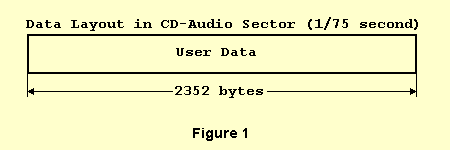
The compact disc industry started in 1980 when Philips and Sony introduced the Compact Disc Digital Audio Standard. This is commonly called the Red Book. The Red Book describes the Audio Compact Disc (CD) that you find in music stores today. It is the foundation on which all other CD standards are built. Because audio discs are manufactured per the Red Book Standard, all audio compact discs will play in any audio compact disc player. The track type defined in the Red Book is: CD-Digital-Audio (CD-DA), for audio music. The Red Book specifies that the audio data are on the CD in one or more tracks. Each track is normally one song. These tracks are further subdivided into sectors (frames) that are 1/75th of a second in length and contain 2352 bytes of audio data in digital form. A maximum of 99 audio tracks may be placed on a standard Red Book disc.
The direct reading of audio data is known as Digital Audio Extraction (DAE), or as "CD ripping". CDRoller utilizes DAE in order to read an audio sectors (frames) of CD and write the resulting data into a WAV , MP3, MP2, OGG or RAW file. The advantage of DAE in comparing to use of your sound card is that there is no loss of music quality, the data in WAV or RAW files are an exact copy of the data on the audio CD. Using your sound card, the digital data from the disc are converted to analog signal, which is then digitized again by the sound card. Often, the sound quality will deteriorate when going this route, often producing noisy WAV files. Furthermore, DAE is also much faster than ripping audio data with your sound card.
However, Digital Audio Extraction is connected with more problems then simple playing an audio track.
The first problem is that all 2352 bytes of sector contain audio data - there is no positioning information returned in the block read. When reading consecutive blocks, the new reading can start within +-"N bytes" of the intended position. Generally, "N bytes" value limits of 2352 bytes (1/75 of a second), but we found that our old Hitachi CDR-8130 drive "limited" this value -21288 bytes below and +16824 bytes at the top! This effect known as "jitter" results in the clicks and pops in the output file produced by DAE. Some CD drives support a feature known as "Stream is Accurate", it means that drive's controller guarantees itself that new reading always starts where the last one left off.
The second problem is that an audio sector as "raw" sector has no auxiliary field for layered error correction (L-EC), therefore reading block of damaged sectors can result in invalid data, placed into the output file.
Finally, some CD drives simply don't support Digital Audio Extraction - while most SCSI drives support DAE, not all "old" IDE drives do. In addition, manufactures of SCSI units sometimes utilize vendor specific ("non-standard") commands and read algorithms to provide DAE features. Some of these methods are undocumented.
To prevent the appearance of the clicks and pops in the output file, CDRoller utilizes the method known as "Jitter correction" or overlapping. Generally, it involves in use of overlapping reads, and attempting to match the end of one read with the beginning of the next, so that there are no gaps in the data read. These gaps really cause clicks and pops in the output files. For instance, the program might begin reading a block at Logical Block Address (LBA) 100 and read 27 sectors total. While next reading, it would read block starting at LBA 95 and would try to match the end of the first read in the beginning of the second read. Once it finds a match, it would cut off the beginning of the second read, and use only the part after the match. In addition to this way with Fixed overlapping (five sectors), CDRoller also uses Dynamic synchronization - if attempt of matching fails, the program re-attempts the process with a slightly larger overlap area.
To check the errors, CDRoller reads new block of sectors at least twice in both methods mentioned above. If reading error occurres even the synchronization has been applied successfully, the program tries to read and synchronize current block again in order to get two blocks of identical sectors.
The last method named Burst Copying can be applied to CD drives that support "Stream is Accurate" feature. The DAE produced by this method is the fastest, but the program doesn't apply "jitter correction" and no error checking can be also performed.
To detect appropriate read algorithm for user's CD drive CDRoller utilizes as commands described in SCSI-3 and SCSI-2 standards as vendor specific commands found in available manuals.
To provide audio compression, CDRoller supports a wide set of audio codecs and wave formats via Windows ACM (Windows Audio Compression Manager) and external libraries (DLLs). The program converts audio data "on-the-fly", without creating an intermediate WAV file.