|
|
|
|
|
A 4.7. FAT / NTFS / Ext |
Top Previous Next |
|
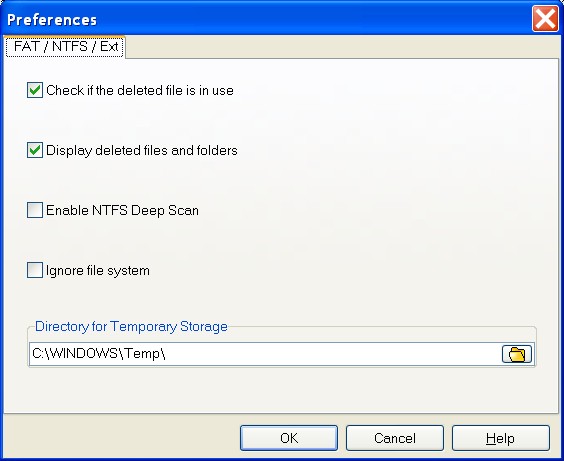
Check if the deleted file is in use (default value Checked) If Checked, the program always tests whether each cluster of deleted file is "in use" or not. In other words, CDRoller tries to test an integrity of the deleted file. If any of the clusters of a deleted file are "in use", this can indicate that the cluster was reassigned to another file and part of the deleted file was overwritten by another.
There are many scenarios of cluster allocations and how files may be overwritten by another files. If you're looking for the data of big video file, it may be useful to try to find the file with unchecked option. Having assumed the most part of file is located in the sequential clusters, a loss of small number of clusters may not affect the functionality of all file.
Display deleted files and folders (default value Checked) If Checked, the program displays found objects in the special $LOST FILES$ folder.
Enable NTFS Deep Scan (default value Unchecked) If Checked, the program scans unused clusters, trying to locate the lost files based only on file signatures, ignoring the file system records.
Ignore file system (default value Unchecked) If checked, the program will not read the file system records. And, you can try to detect the lost files via their signatures only.
Directory for Temporary Storage (default value: Windows Temporary Directory) Assigns the directory as Temporary Storage for some operations.
Warning. Please do not select "Directory for Temporary Storage" as destination folder for Recover All and Recover Selected operations. When you close CDRoller, the program automatically cleans out this temporary folder, and all recovered files and subfolders will be lost! |
|
|
|
|
|